Buxo Teams: One Scheduling Link for Your Whole Company
Buxo Teams brings round-robin scheduling, collective availability, routing forms, and a shared team booking page to your company. Starting at $8.95 per seat. 44% less than Calendly Teams.
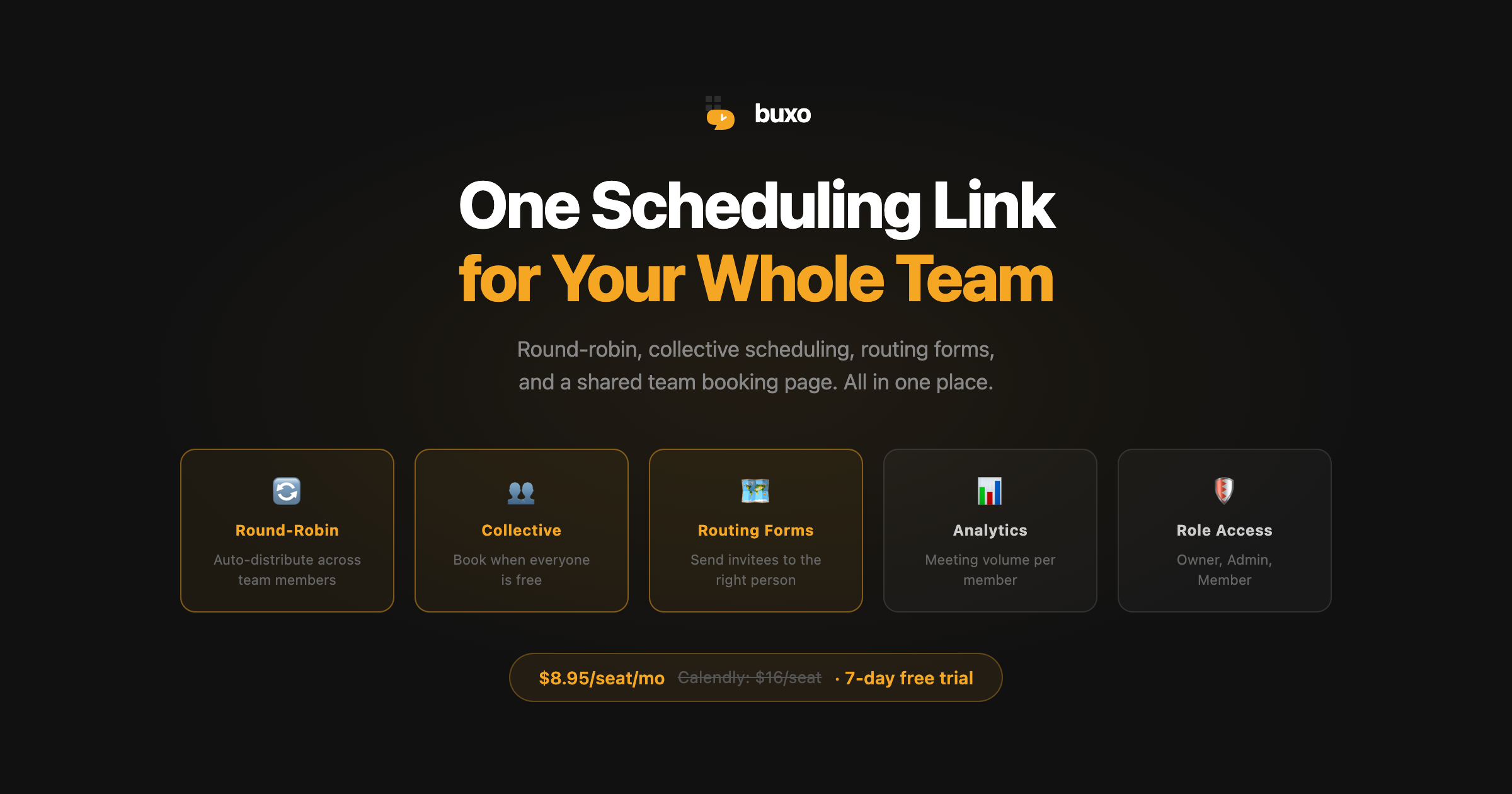
Scheduling for a team is a different problem than scheduling for yourself.
When you’re solo, the question is “when am I free?” When you’re a team, the question is “who should take this meeting, and when can they do it?”
Calendly’s answer to that costs $16 per seat per month. We think that’s too much.
Today we’re launching Buxo Teams at $8.95 per seat per month with a 7-day free trial and no credit card required. Everything a modern team needs to stop manually coordinating meetings.
One booking page for your whole company
When you create a team on Buxo, you get a shared booking page at buxo.ai/team/your-company.
Your invitees land there and see every meeting type your team offers: sales demos, onboarding calls, support sessions, whatever you’ve set up. They pick what they need, pick a time, and they’re done. They never have to find the right person’s individual link or send an email asking “who should I talk to?”
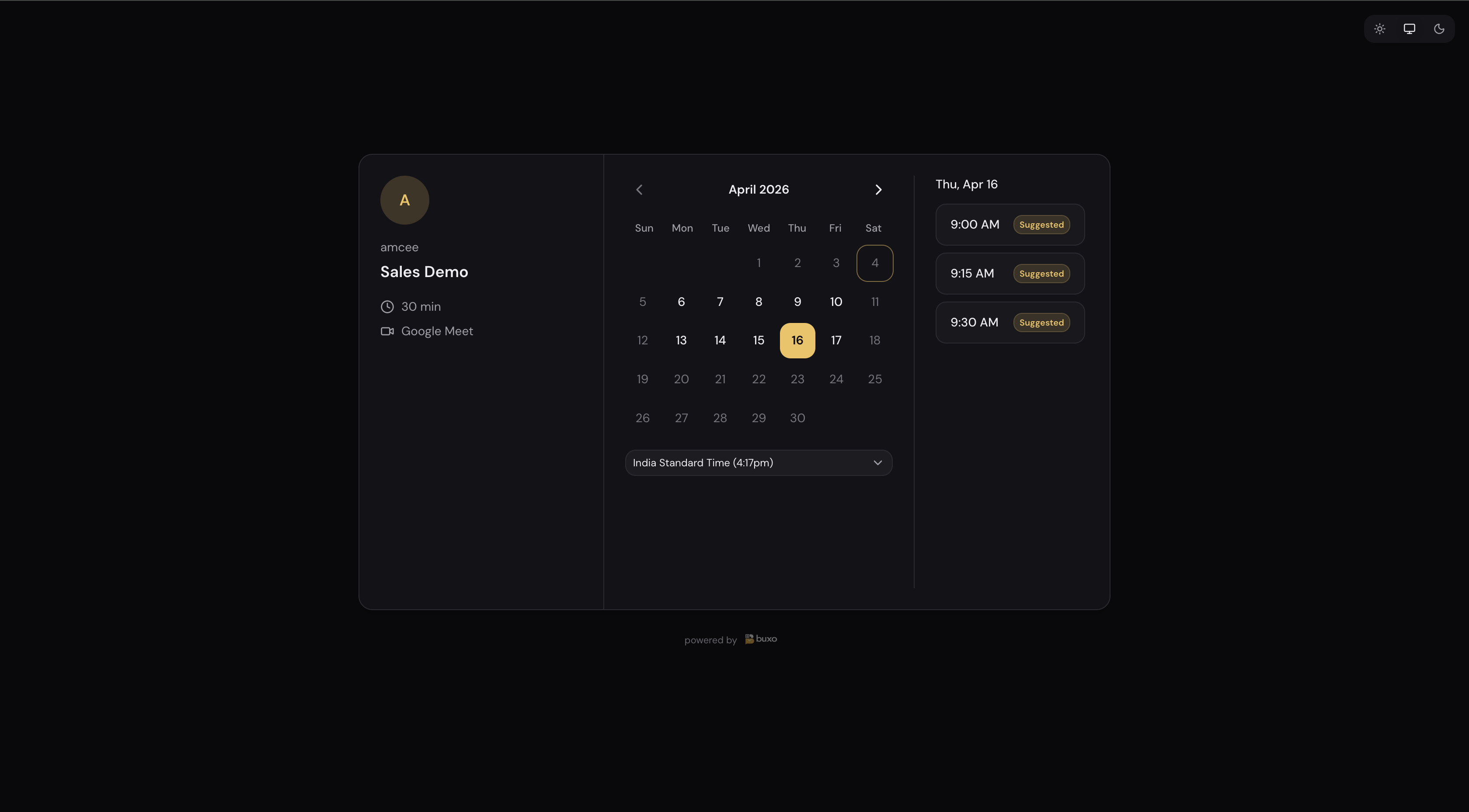
Your personal scheduling links still work exactly as before. Teams adds a shared layer on top, it doesn’t replace anything.
Round-Robin: distribute meetings automatically
Round-Robin is the answer to “who should take this meeting?”
You create a team event type (like “Sales Demo”), assign it to 3 reps, and set it to Round-Robin. When someone books:
- Your invitee sees all available times across all 3 reps, combined
- They pick a time that works for them
- Buxo assigns the rep with the lowest current meeting load who is available for that slot
The invitee gets maximum flexibility. Your team gets fair, load-balanced distribution. Nobody has to manually assign meetings or rotate through a spreadsheet.
Collective: book time with everyone at once
Collective is for meetings that need multiple people in the room.
You set up a “Team Sync” or “Partnership Call” event type with 4 or 5 members assigned. Invitees only see slots where every assigned member is free. When they book, everyone gets the calendar invite automatically.
No more “let me check with the team.” No more group email threads. The booking page handles the coordination.
Assigning the right people
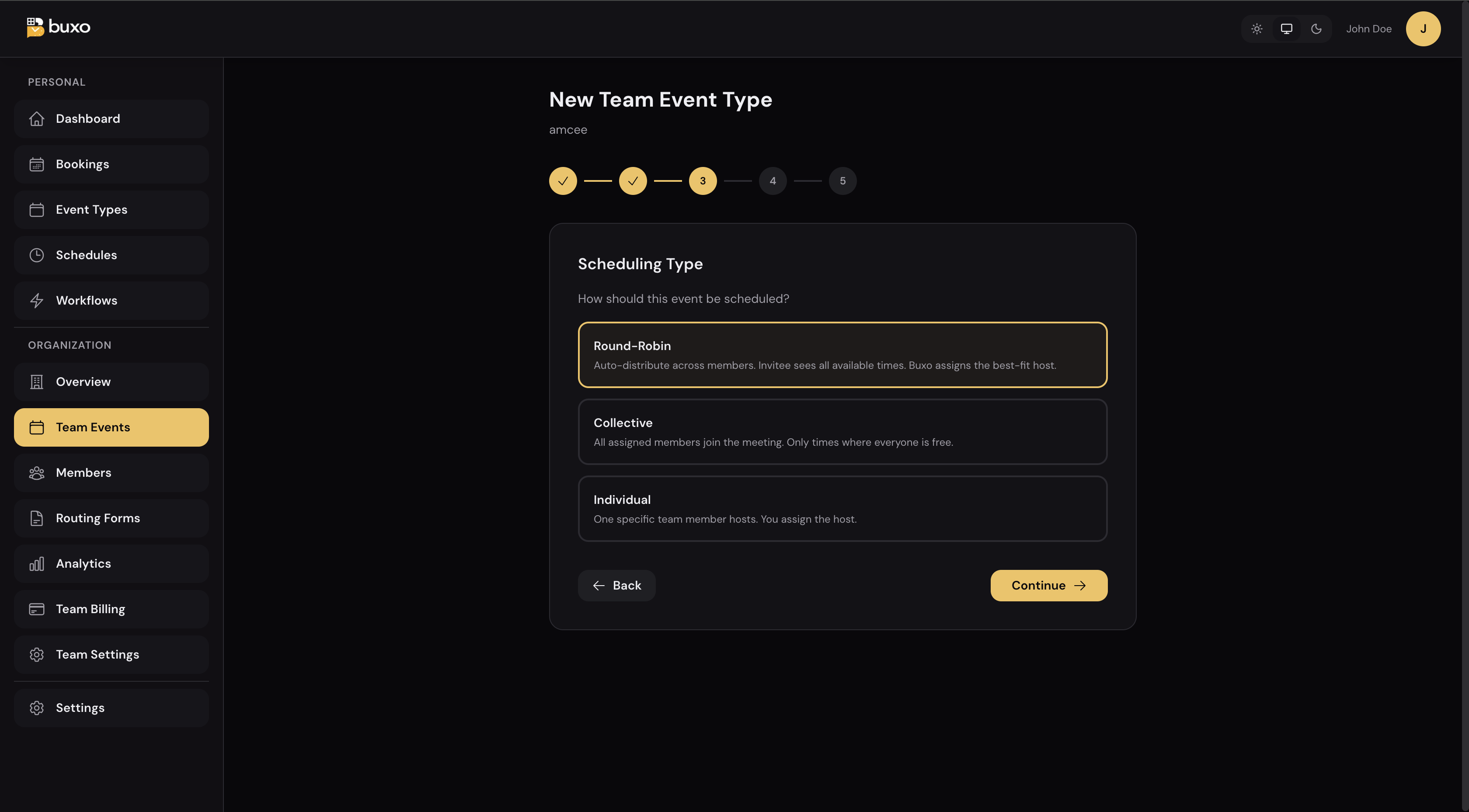
When you create a team event type, you pick which members are part of it. For Round-Robin, they’re in the rotation. For Collective, they all need to be available. For Individual, you assign one specific host.
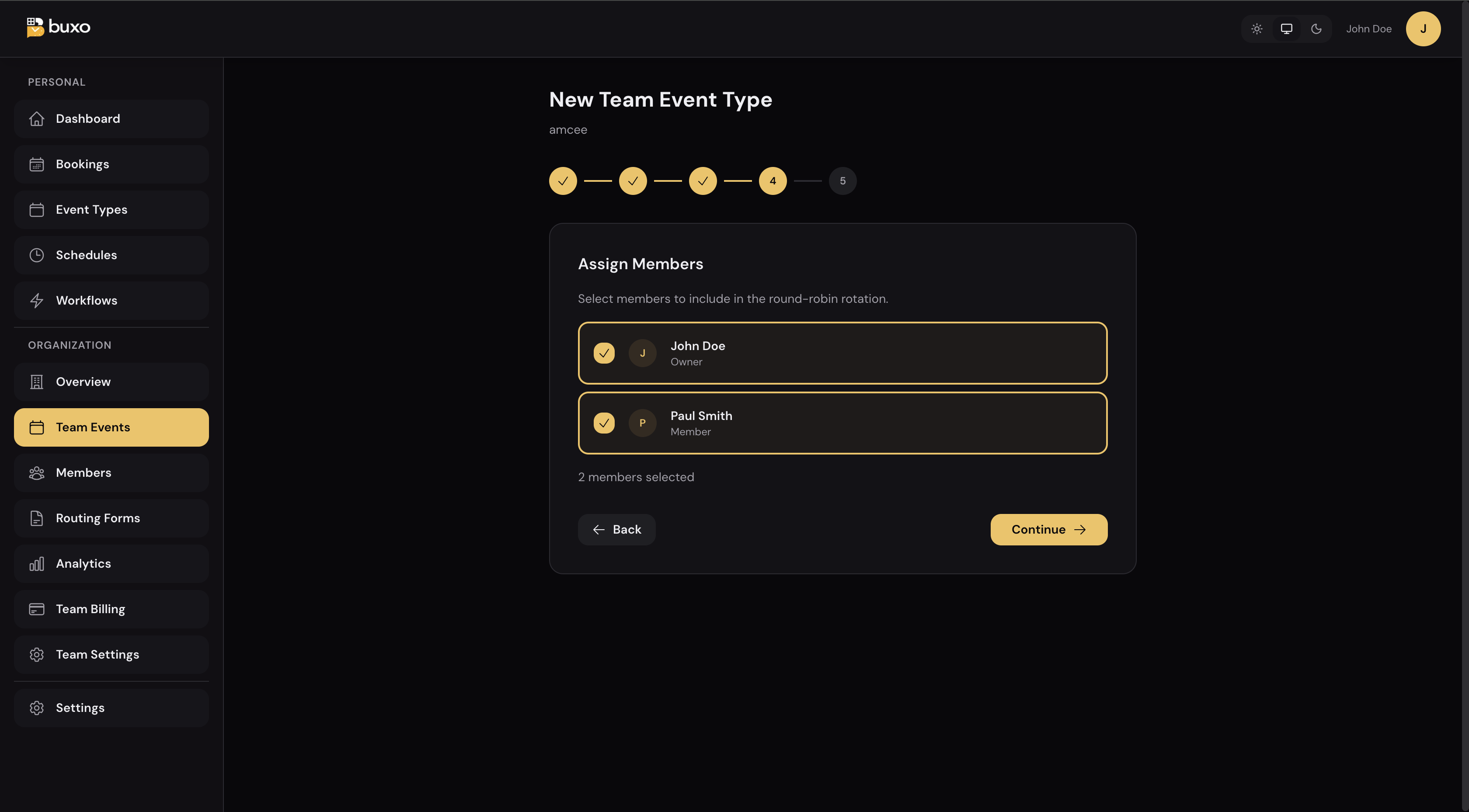
One team can have multiple event types with completely different member assignments. Your sales team handles demos. Your CS team handles onboarding. Your founders take the partnership calls. All from the same company page.
Routing Forms: send people to the right meeting automatically
Sometimes your invitee doesn’t know which meeting type they need. That’s what Routing Forms are for.
You build a short intake form: “What brings you here?” with a few options. Based on their answer, they get routed straight to the right event type and see the booking calendar. No human in the loop.
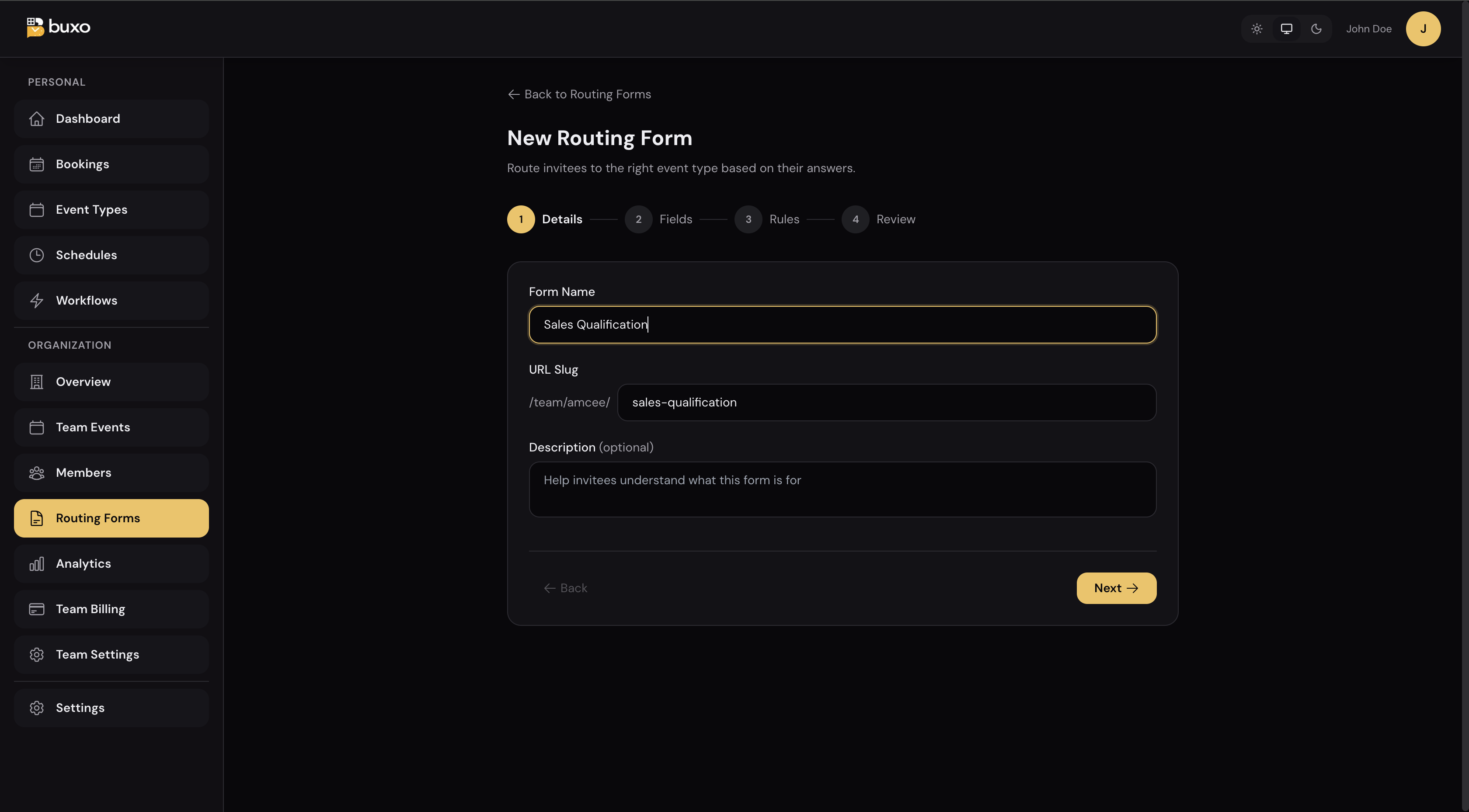
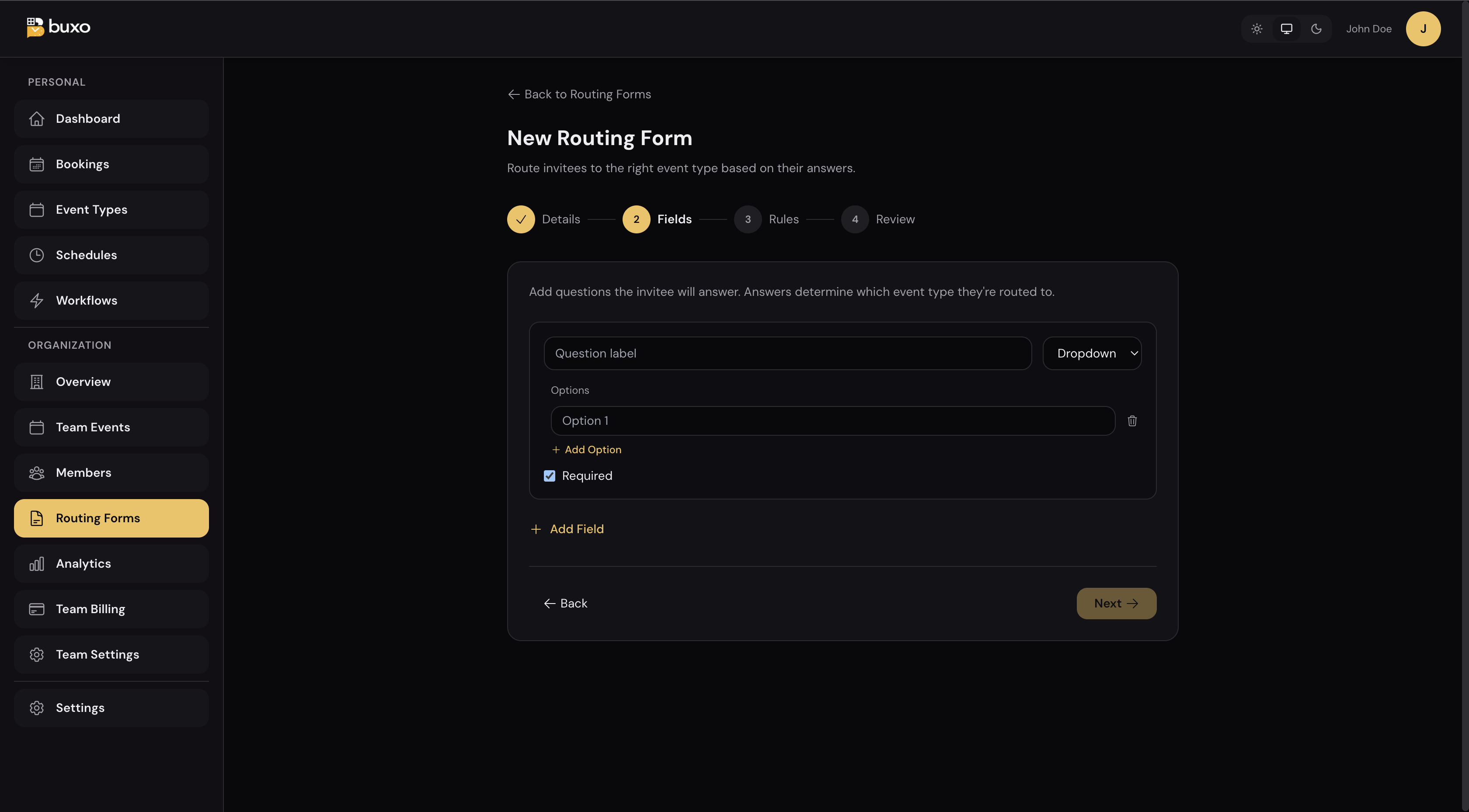
A few example setups:
- “I want a product demo” → routes to your Sales Demo (Round-Robin across reps)
- “I’m a current customer” → routes to your Customer Support event
- “I want to discuss a partnership” → routes directly to a founder’s personal link
- “Something else” → sends them to a contact form
Your invitees feel like they’re getting a personalized experience. You’ve just built it once with routing rules.
Roles: Owner, Admin, Member
Not everyone on your team needs the same access.
- Owner: full control, manages billing
- Admin: manages members and team event types, can’t touch billing
- Member: uses team event types, manages their own personal settings
Invite someone, pick their role, send it. The invitation expires in 7 days and they can join without needing you to do anything else.
Managed Calendars: see who’s connected at a glance
Round-Robin and Collective only work if your team members have connected their calendars. If someone’s calendar is disconnected, Buxo can’t see their availability and they won’t appear in scheduling.
Admins and owners get a Managed Calendars view in Team Settings: every team member, their calendar status (connected, disconnected, not set up), all in one place.
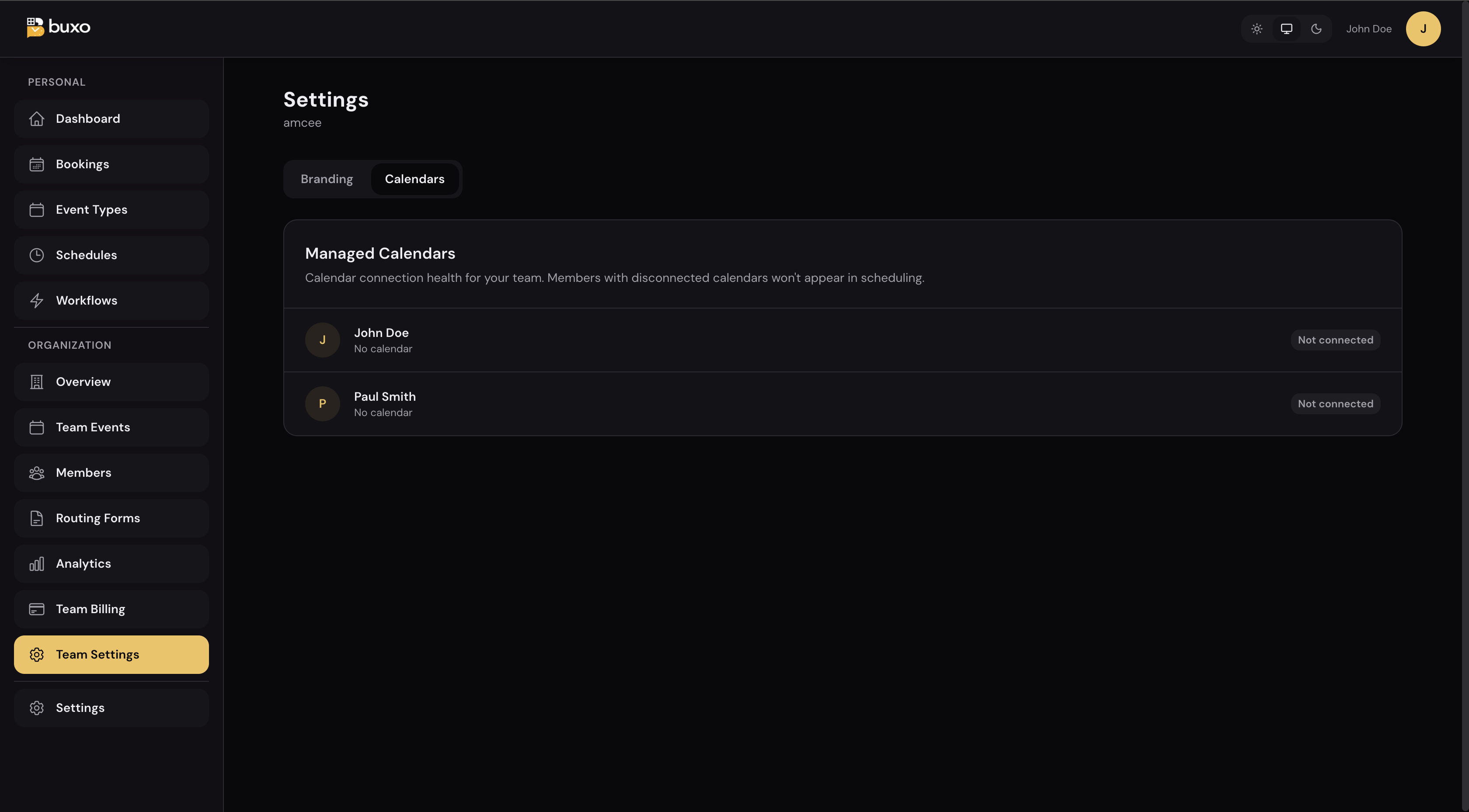
No more finding out mid-meeting that someone’s calendar wasn’t synced. The dashboard tells you before it becomes a problem.
Building a team event type: what it looks like
Here’s the full flow for creating a new team event type:
Step 1: Name it, set the duration and location. The event lives under your team URL automatically.
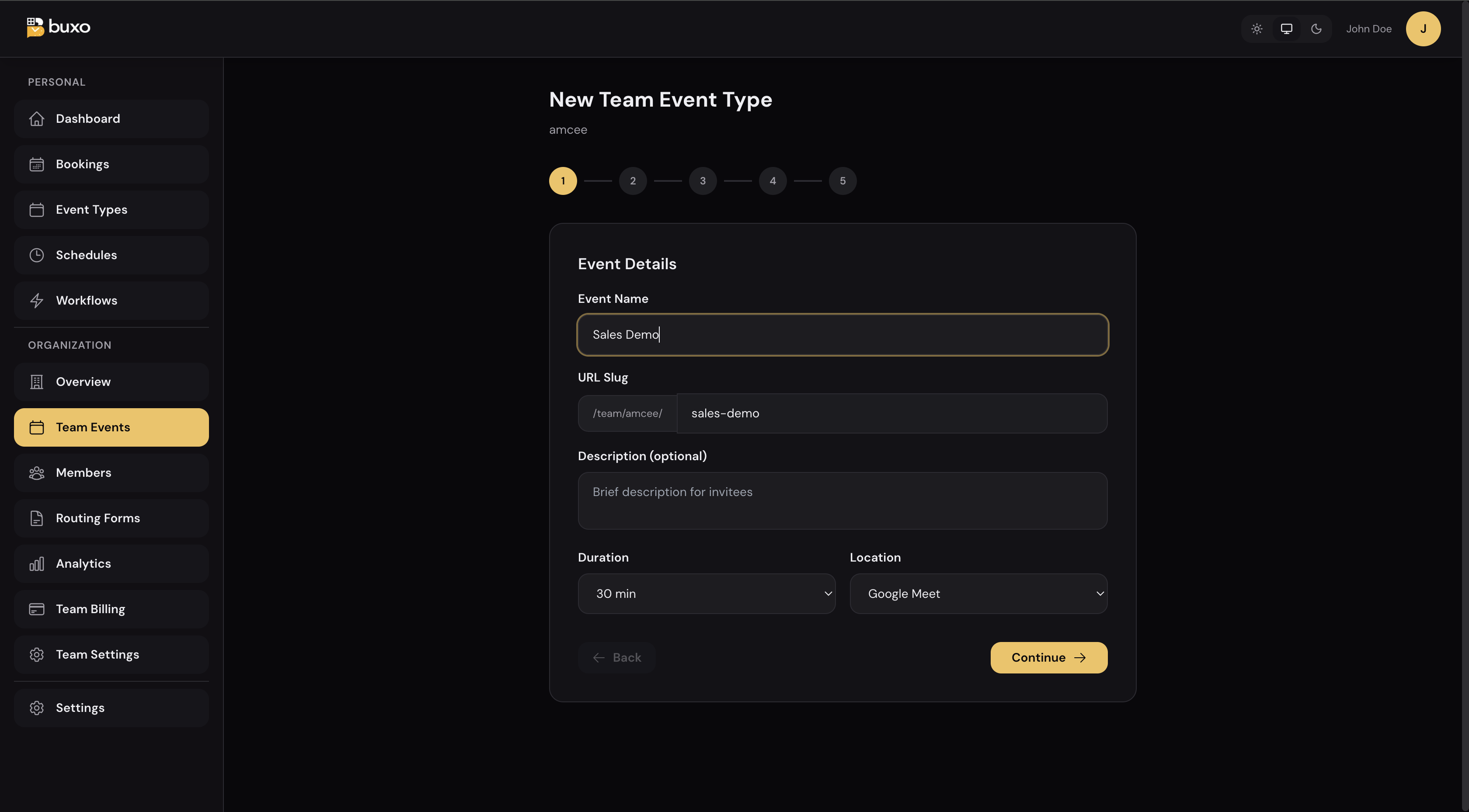
Steps 2 and 3: Set up your schedule and availability window.
Step 4: Choose how it’s scheduled: Round-Robin, Collective, or Individual.
Step 5: Pick which team members are assigned.
That’s it. The team event type is live and bookable from your team page.
What it costs
| Monthly | Annual | |
|---|---|---|
| Buxo Teams | $8.95/seat | $89.50/seat/yr |
| Calendly Teams | $16/seat | $144/seat/yr |
| Cal.com Team | $15/seat | — |
Buxo Teams costs 44% less than Calendly Teams and includes every feature: round-robin, collective, routing forms, analytics, role-based access, and custom branding.
7-day free trial. No credit card required. Add your team and try it.
Who this is for
Buxo Teams is built for small-to-mid teams where scheduling coordination is a real daily cost:
- Sales teams running demos and discovery calls across multiple reps
- CS and support teams managing onboarding calls and check-ins
- Recruiting teams coordinating interviews across hiring managers
- Consulting firms routing client requests to the right person
- Startups where the founders take partnership and press calls personally, but the team handles product demos
If you’ve ever forwarded a calendar link, said “let me find the right person to connect you with,” or built a spreadsheet to track meeting distribution, this is built for you.
Try it today
Start a team from your Buxo dashboard, or visit buxo.ai to create an account.
7-day free trial. No credit card. Your team can be set up in under 10 minutes.
This is the latest post on the Buxo blog. Follow along via RSS for product updates and scheduling insights.